Activate user
Vejledning til Intega HROpdateret
Guide for first login to Intega HR og download Intega Go App
The first time you log on to Intega HR (activate your access)
The first time you log in to Intega HR you must apply activation link in the notification email you receive about your user access.
When you use the activation link, you get this login image where you will need to enter a new password
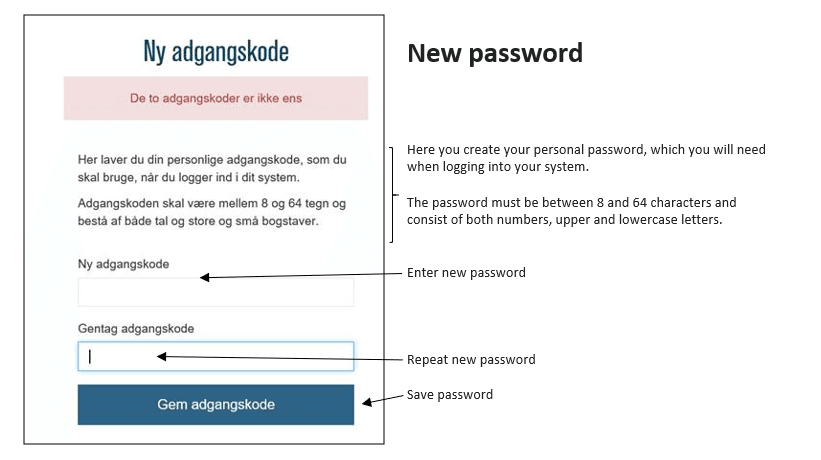
Intega HR log on
To enter Intega HR click on this link
https://hr.integaone.dk
The following login box appears:
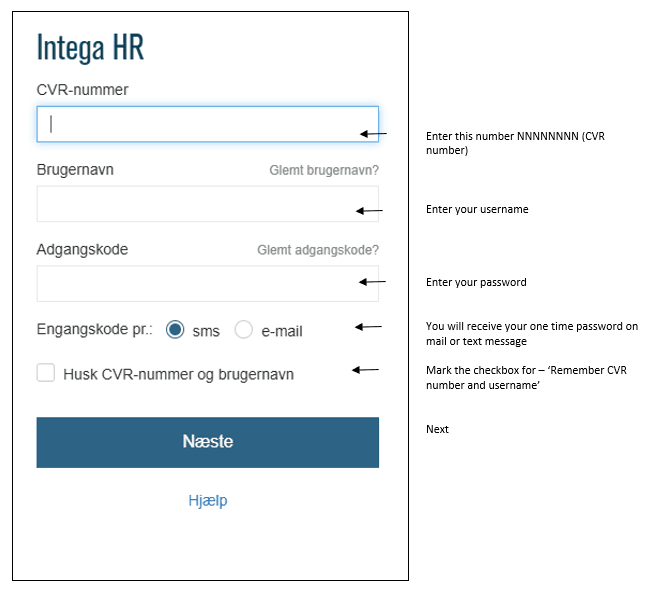
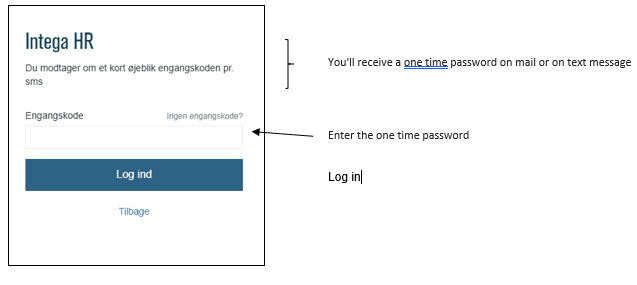
Mine Indstillinger / My settings in Intega HR
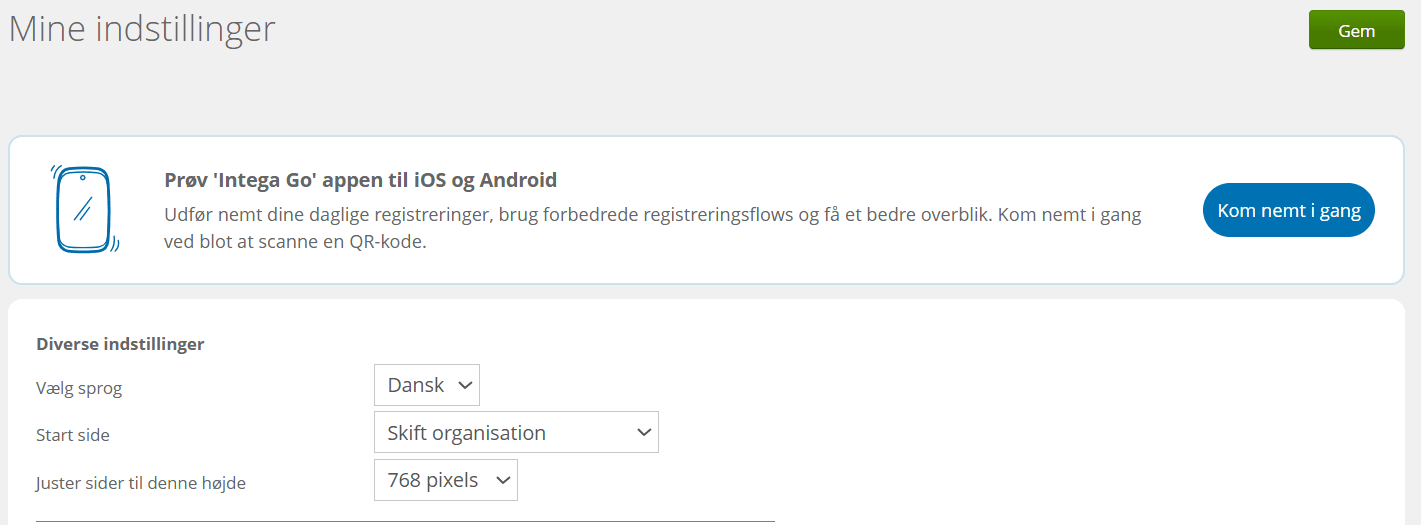
Choose language (Vælg sprog) and start page (Start side) and save at top right.
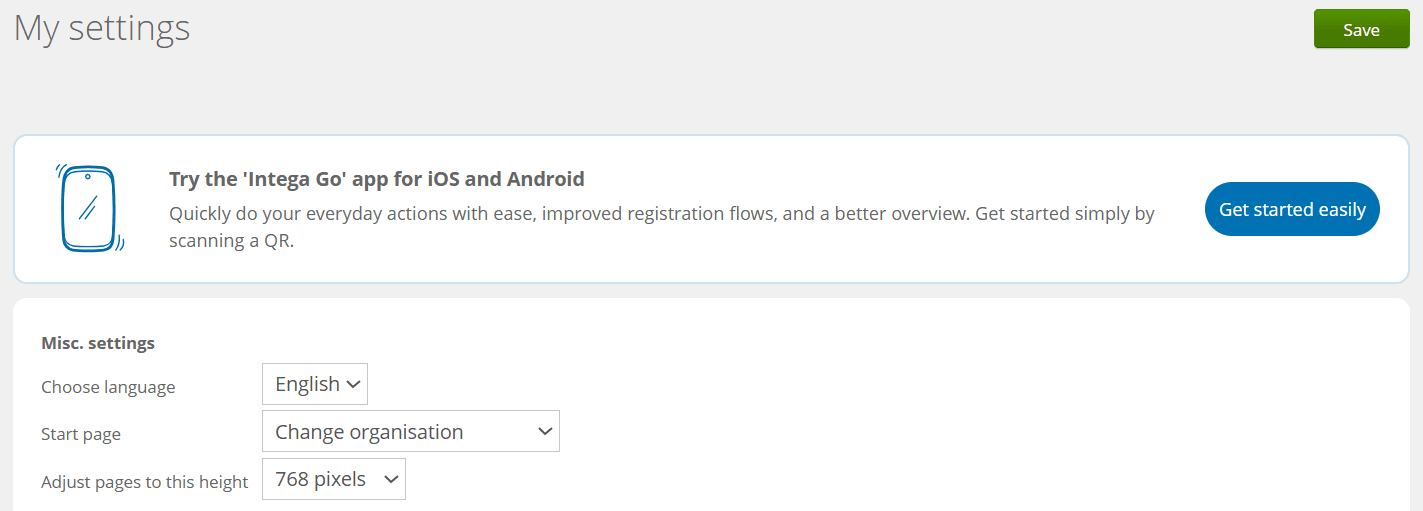
Download Intega Go App
To download Intega Go, click on ’Not on the app yet?’
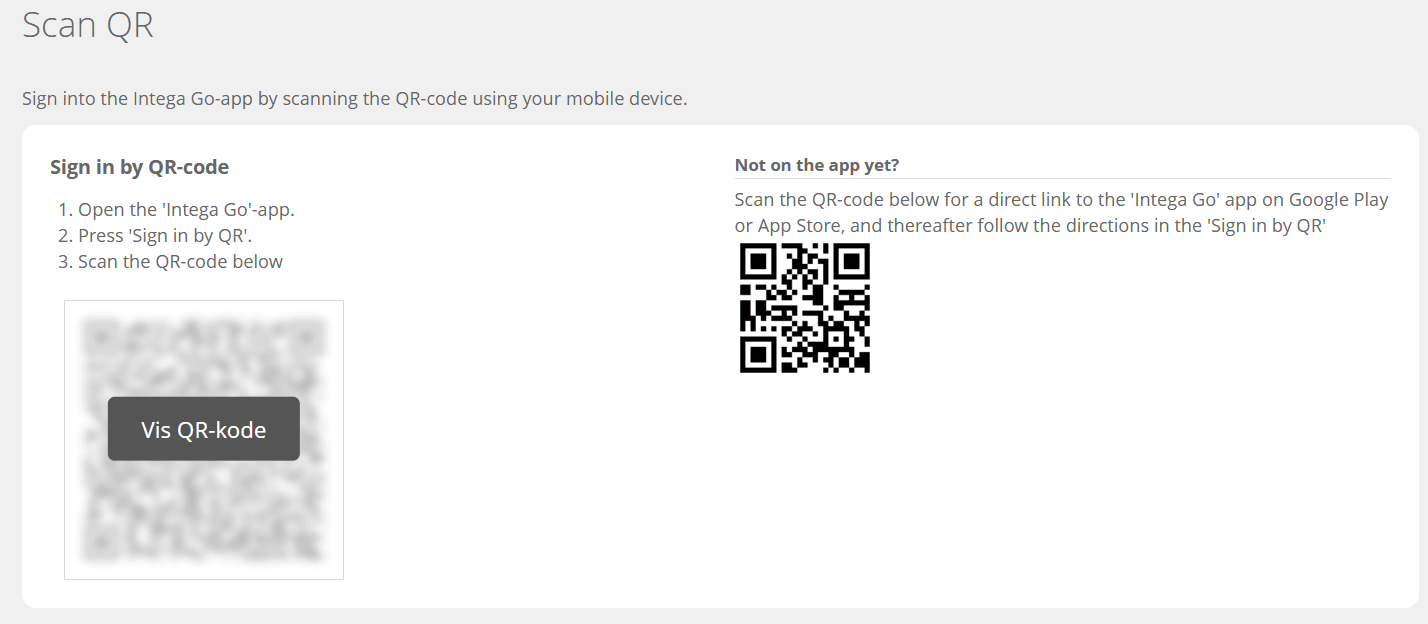
Scan QR code to download Intega Go.
Log in to app with QR code via ’Show QR code’.
Hvad synes du? Giv feedback.